
Adding a user or security group to every published application in your XenApp farm
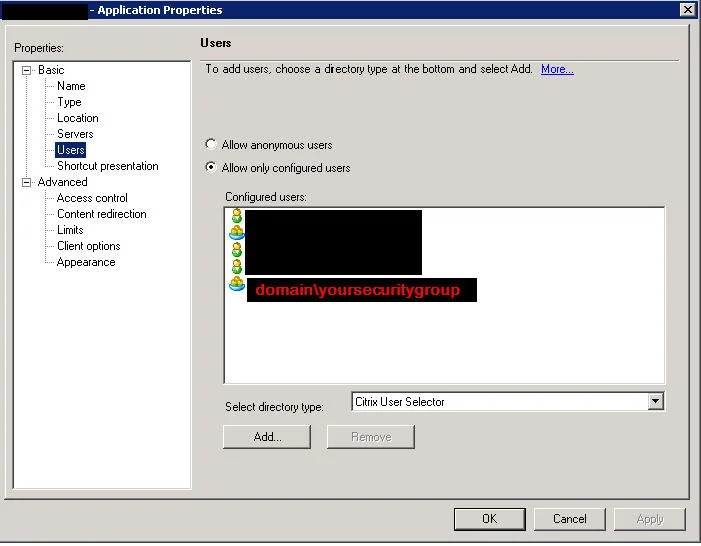
I had a need to add a certain security group to every single published application in a XenApp 6.5 farm today. Create a new file with the extension .ps1 and copy and paste this in:
Add-PSSnapin Citrix.Xenapp.Commands
foreach($application in Get-XAApplication)
{
Add-XAApplicationAccount $application.DisplayName "domain\yoursecuritygroup"
}
Then run the PowerShell script. It will enumerate all apps in your farm and add the security group or user ID you specified to each app. Don't worry, it won't overwrite any existing users or groups for the apps, it will only add.
When you check the app properties now, you will see the new group added to all apps. Hope this helps!

Jason Samuel
Product leader, advisor, and international speaker with 27+ years in enterprise end-user computing, security, and cloud. Has deployed infrastructure at Fortune 500 scale across 34 countries. 1 of 3 people globally to hold Citrix CTP + VMware vExpert + VMware EUC Champion concurrently. 200+ articles, 1,000+ reader discussions.
Previous Comments (2)

Get-BrokerApplication | Add-BrokerUser -Name 'domain\username'
You can also be more specific with regards to a folder name, for example:
Get-BrokerApplication -Name 'Foldername\*' | Add-BrokerUser -Name 'domain\username'
Hope this is useful to someone!