
How to REALLY set a NetScaler back to factory defaults (factory new condition)
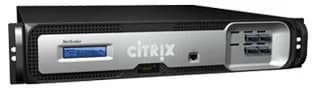
This is my follow-up to my original article on setting a Netscaler back to factory defaults (http://www.jasonsamuel.com/2010/06/22/how-to-reset-a-citrix-netscaler-back-to-factory-defaults/). The instructions I provided wiped the config but what about if your actual Netscaler system is corrupted and you need to bring it back to factory new conditions? Well here is the procedure which is also outlined here on CTX116742 (http://support.citrix.com/article/CTX116742). ZebOS by the way if you are interested is what does the routing on the Netscaler (http://www.ipinfusion.com/products/products_home.html). This is a commercial version of GNU Zebra (http://www.zebra.org). Development on Zebra stopped back in 2005 and Quagga became the successor (http://www.quagga.net). A lot of network appliances out there are based on these two.
- After completing the following steps, the NetScaler will have no configuration left and will be ready for the next installation or environment. Connect to the device using the serial console or with a Secure Shell client (SSH). Delete the system, routing, and SSL configuration:
`> shell
cd /etc
for file in *; do
rm /nsconfig/$file 2> /dev/null
done
(Ignore warnings about files or directories missing. Not all files in /nsconfig are present in /etc)
cd /nsconfig
rm ns.conf* ZebOS.conf rc.conf
(Ignore warnings about files or directories missing)
cd ssl
GLOBIGNORE=”ns-*”
rm *
exit
reboot`
- Perform an initial system configuration. Connect to the device using the serial console:
`> set ns config –ipaddresss nsip -netmask netmask
save config reboot`

Jason Samuel
Product leader, advisor, and international speaker with 27+ years in enterprise end-user computing, security, and cloud. Has deployed infrastructure at Fortune 500 scale across 34 countries. 1 of 3 people globally to hold Citrix CTP + VMware vExpert + VMware EUC Champion concurrently. 200+ articles, 1,000+ reader discussions.
Previous Comments (8)


