
SEP 12 not working with PVS 6.1 and Microsoft Windows 7 XenDesktop VMs
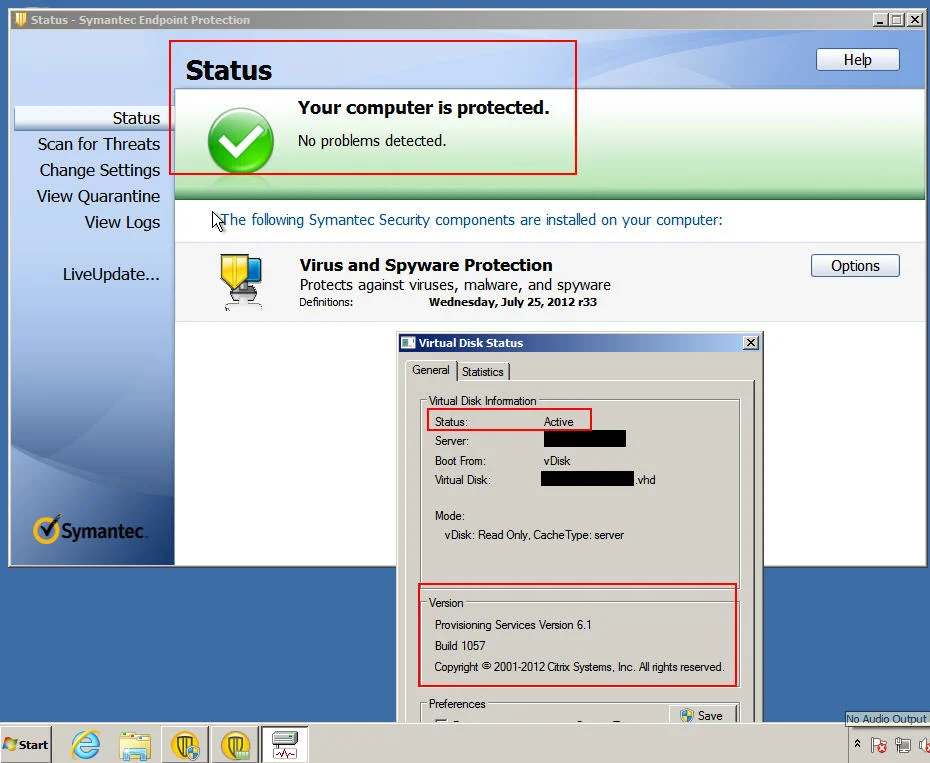
We came across an issue getting Symantec Endpoint Protection 12 working with Provisioning Services 6.1. When you install SEP 12 on the Windows 7 VM, it causes the VM to freeze during the install. Sometimes it actually finished installing but then immediately after the VM freezes. In both cases you have to force a reboot. Once the VM is back up, you are not able to login using domain credentials. It will give you a "The trust relationship between this workstation and primary domain failed" error message. So you have to use local admin credentials. Once you are in, some of your apps might be broken. Symantec is sometimes in a half installed state. Running LiveUpdate fails. Your OS is pretty much hosed at this point and you have to start all over.
Through extensive testing, we discovered that SEP 12 was somehow impacting the network stack causing the vDisk to disconnect. SEP and the PVS Target software were vying for control.
We escalated this through Symantec and were finally told there is a compatibility issue between SEP 12 and PVS 6.1 but it is not public knowledge yet. There is an internal ETrack on the issue. SEP 12 has been used with PVS 5.x and provisioned desktops successfully. When Citrix released PVS 6.x, a driver was changed from the previous version and issues have been seen on provisioned desktops if any of the following 3 SEP modules are installed: Advanced Download Protection, SONAR Protection, and IPS. Symantec is working on a code change, but meanwhile you can leave out these modules.
After performing more tests without these 3 modules installed, SEP 12 is installing and running normally without impacting the PVS infrastructure. This is version 12.1.1101 shown below we have tested on. Hopefully a newer version of SEP will be fully compatible with PVS. After the install is done, run a full scan, run the VIE tool (Virtual Image Exception tool), reset your hardware IDs, and you're ready to spin up VMs in standard/read only vDisk mode.
UPDATE: September 28, 2012
Symantec released an update to fix this as part of their definitions from September 4th onward. It comes to the SEPM automatically as part of the daily update process so everyone should have it at this point. No manual patch or fix is needed. It changes the timing of Symantec. Symantec and the PVS Target will no longer vie for control of the network stack as I understand it. Symantec will start delayed after the PVS Target has fully started. I don’t have any further technical details but I am hoping Symantec will have a KB up soon covering this. We have been testing and everything seems to be working well.

Jason Samuel
Product leader, advisor, and international speaker with 27+ years in enterprise end-user computing, security, and cloud. Has deployed infrastructure at Fortune 500 scale across 34 countries. 1 of 3 people globally to hold Citrix CTP + VMware vExpert + VMware EUC Champion concurrently. 200+ articles, 1,000+ reader discussions.
Previous Comments (4)


