
XenDesktop VMs on PVS getting Netlogon 5719 and Group Policy 1129 errors
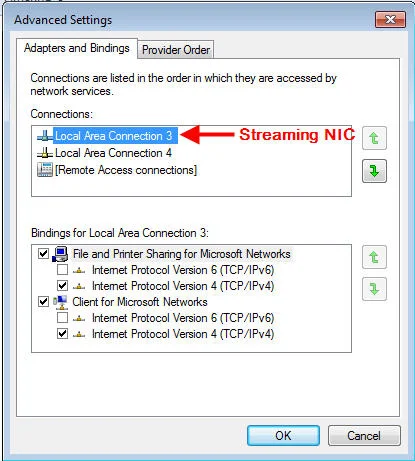
After reverse imaging and doing a XenServer Tools update, I had some issues talking to the DC and getting group policies to apply consistenly at boot. When XenServer Tools is updated, it may remove and re-add the NICs. This changes the provider order sometimes.
Symptoms were there were several Netlogon 5719 errors:
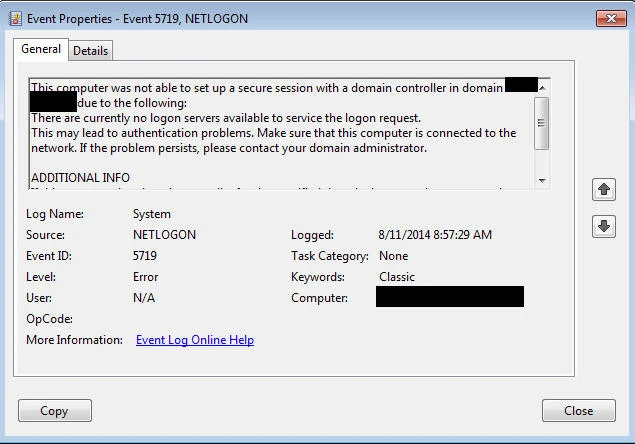
*This computer was not able to set up a secure session with a domain controller in domain XXXXXXXX due to the following: There are currently no logon servers available to service the logon request.
This may lead to authentication problems. Make sure that this computer is connected to the network. If the problem persists, please contact your domain administrator. ADDITIONAL INFO If this computer is a domain controller for the specified domain, it sets up the secure session to the primary domain controller emulator in the specified domain. Otherwise, this computer sets up the secure session to any domain controller in the specified domain.*
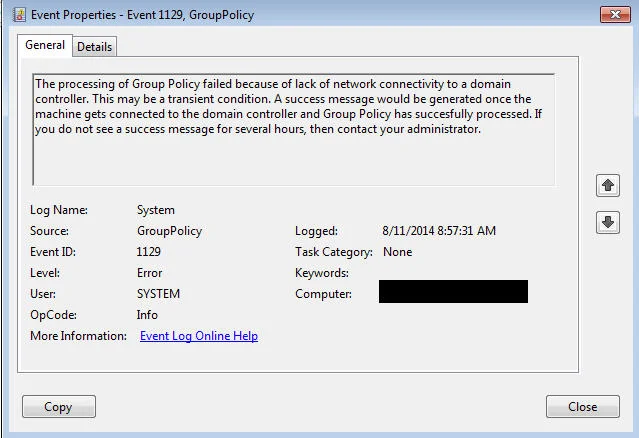
and Group Policy 1129 errors in the event log: The processing of Group Policy failed because of lack of network connectivity to a domain controller. This may be a transient condition. A success message would be generated once the machine gets connected to the domain controller and Group Policy has succesfully processed. If you do not see a success message for several hours, then contact your administrator.
To resolve this I did the following:
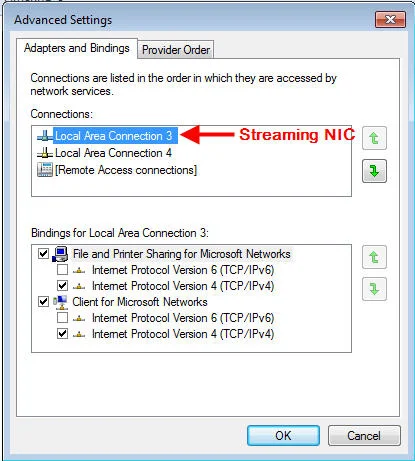
- Verify the streaming NIC is at the top. In my case, NIC 3 is my streaming NIC and NIC 4 is my local network traffic NIC. So it should look like this:
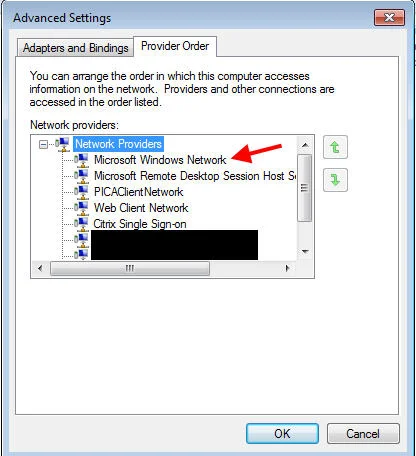
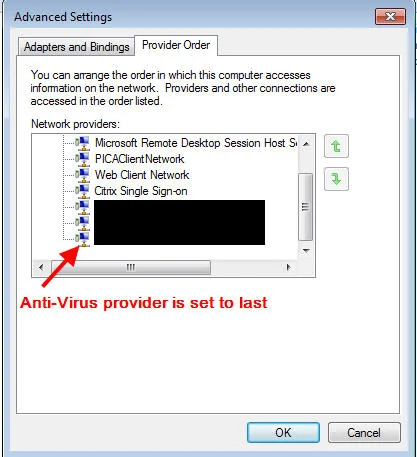
- Adjusted the provider order so "Microsoft Windows Network" is on top and Symantec or whatever antivirus you are using is at the very bottom:
- Created the following registry subkey:
HKEY_LOCAL_MACHINE\System\CurrentControlSet\Services\Netlogon\Parameters
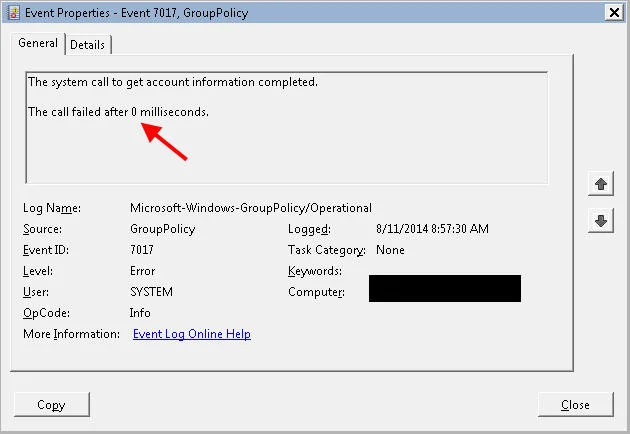
Value Name: ExpectedDialupDelay Data Type: REG_DWORD Data Range is between 0 and 600 seconds (10 minutes) and the default is 0. I set it to 600 seconds. The thought is Netlogon is starting before the NIC is fully up. This is a timing issue evidenced by group policy errors like the following where the number of ms it set to 0, meaning it didn't even try to talk to the DC:
Setting the delay to 10 minutes gives the VM some buffer room to get the network up.

Jason Samuel
Product leader, advisor, and international speaker with 27+ years in enterprise end-user computing, security, and cloud. Has deployed infrastructure at Fortune 500 scale across 34 countries. 1 of 3 people globally to hold Citrix CTP + VMware vExpert + VMware EUC Champion concurrently. 200+ articles, 1,000+ reader discussions.
Previous Comments (1)
