
How to use an external USB drive as a storage repository in XenServer 5.6
Need more storage on your XenServer 5.6 lab without adding internal drives? Here's how to format a USB external drive to ext3 and add it as a local storage repository.
I'm building out a quick test lab environment at home tonight using XenServer 5.6 SP2. Unfortunately the server I happened to be using for this is a 1U box with only two 73 GB drives inside. El cheapo Dell. Even striped, I needed just a bit more storage for what I was intending to use it for. Luckily I had a 250 GB external Western Digital USB drive handy. It was formatted as NTFS since I pulled it from a Windows desktop. I figured why not use it as a local storage repository? It's a temporary test lab after all.
-
Plug the USB drive to your XenServer and turn it on if it's not on already.
-
Once it finishes booting, enter the Local Command Shell (type your root credentials)
-
Now type:
fdisk –l
this will list all the drives. Typically your USB drive will the best last one. Mine was /dev/sdb1 and under the System column, listed as HPFS/NTFS.
- Now create a storage repository by typing:
xe sr-create name-label="USB drive" content-type=user type=lvm device-config:device=/dev/sdb1
When it completes, it will give you a UUID (long alpha numeric string). Don't worry, no need to write it down.
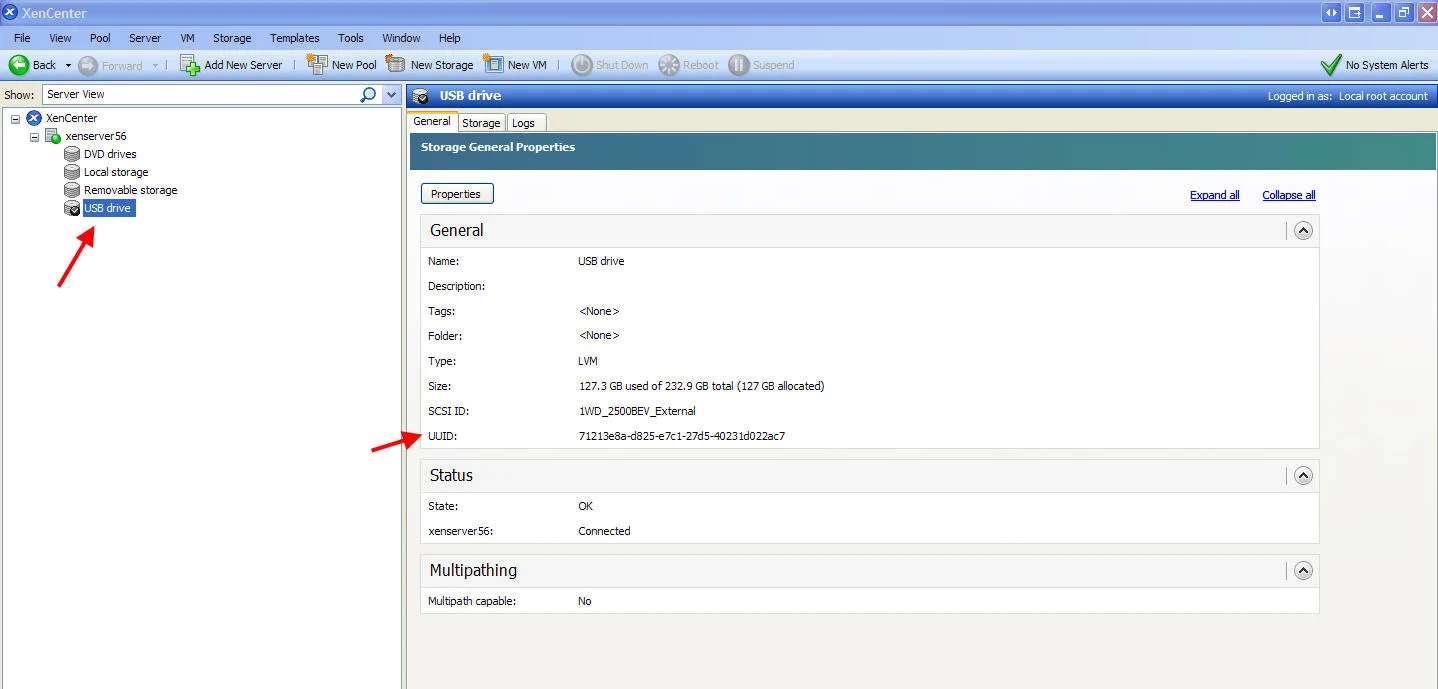
- Now open up XenCenter, and check the storage available on the XenServer you are working on. You should see one called "USB drive" or whatever you decided to name the SR. The UUID you saw above on the console will also be displayed if you click the storage repository in the resources pane and look under the General section. Click the screenshot below for a bigger version:

Jason Samuel
Product leader, advisor, and international speaker with 27 years in enterprise end-user computing, security, and cloud. Has deployed infrastructure at Fortune 500 scale across 44 countries. 1 of 3 people globally to hold Citrix CTP + VMware vExpert + VMware EUC Champion concurrently. 220 articles, 1,000+ reader discussions.
Previous Comments (1)

Can't console to frozen XenServer host but VMs are still running
If your XenServer host is frozen (blank console, xe commands hanging) but VMs are still running, here's how to restart the XAPI toolstack and fix it without rebooting.
citrix-xenserverRunning Open Solaris on Citrix XenServer 5.5 shows no IP address associated with the VM
If your OpenSolaris VM shows no IP in XenCenter, you need the Linux guest agent installed so the VM can pass network info to the hypervisor. Quick fix.