
Using your Citrix NetScaler for Microsoft IIS or Apache http server header obfuscation
If your HTTP server headers are exposing IIS or Apache version info, you're giving attackers a head start. Here's how to use NetScaler Rewrite policies to obfuscate them.
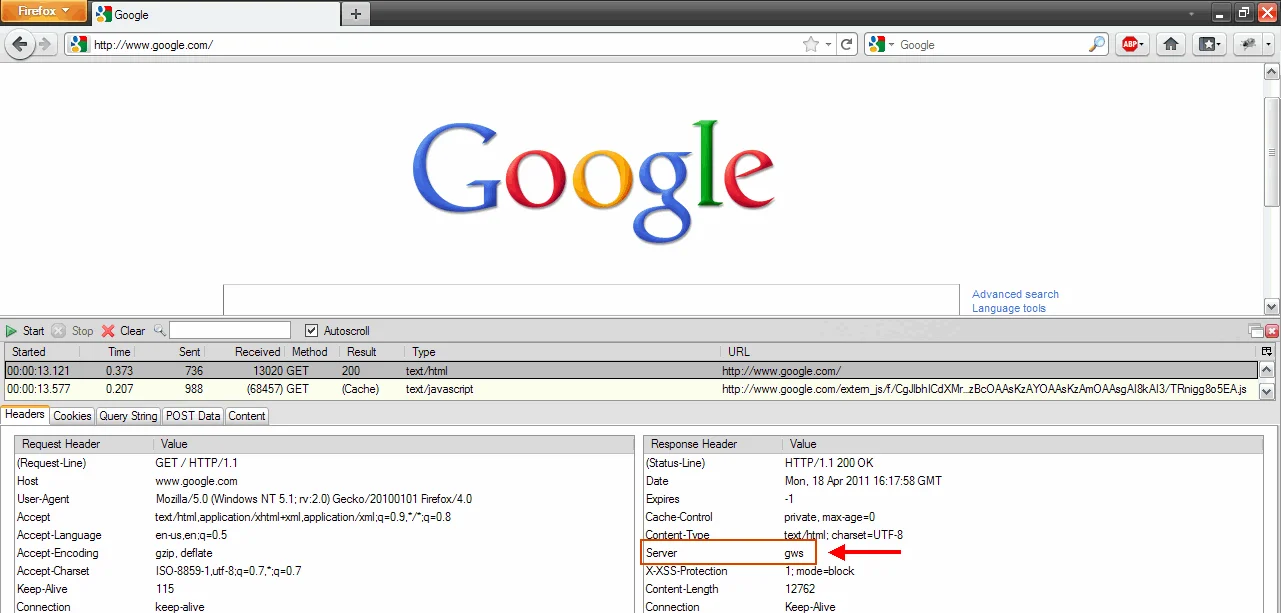
Masking the web server software in your http header/http server banner (server header obfuscation) is an important layer of security you might want to implement since it can be accomplished so easily on a Netscaler. It's a layer of security you can add to prevent someone from telling what kind of web server you are running, such as Microsoft IIS or Apache, though it is still quite possible to figure out depending on your environment and application so don't rely on it too much. The thought is an attacker scans for certain versions of a web server that have known vulnerabilities and begins running attacks for that specific web server software to see if those vulnerabilities have been patched or not. They can do this programmatically so changing the header to say something else is a layer of security that can prevent them from easily figuring out what your web environment infrastructure is like.
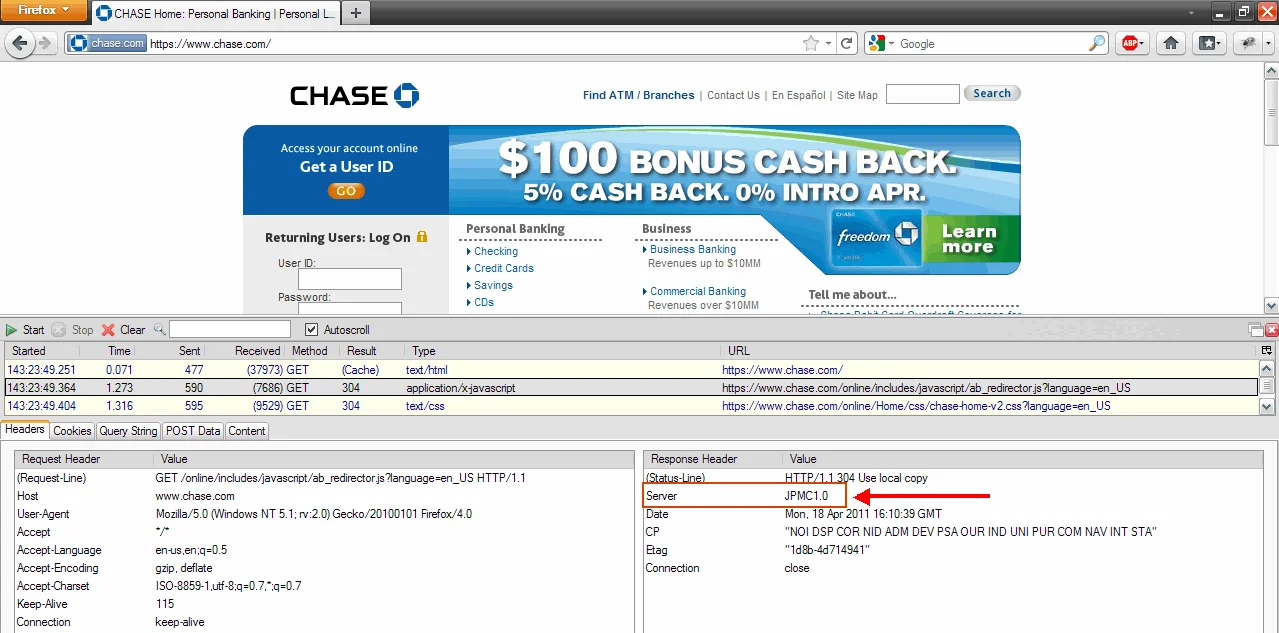
You will notice that Chase.com uses "JPMC1.0":
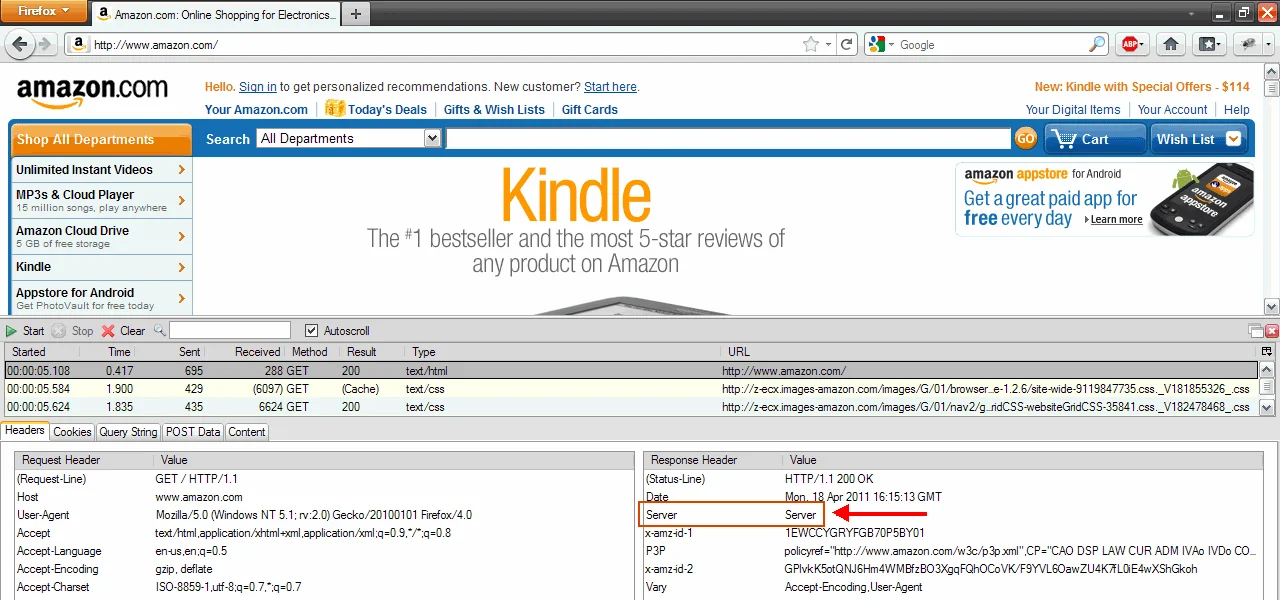
Amazon.com uses just "Server":
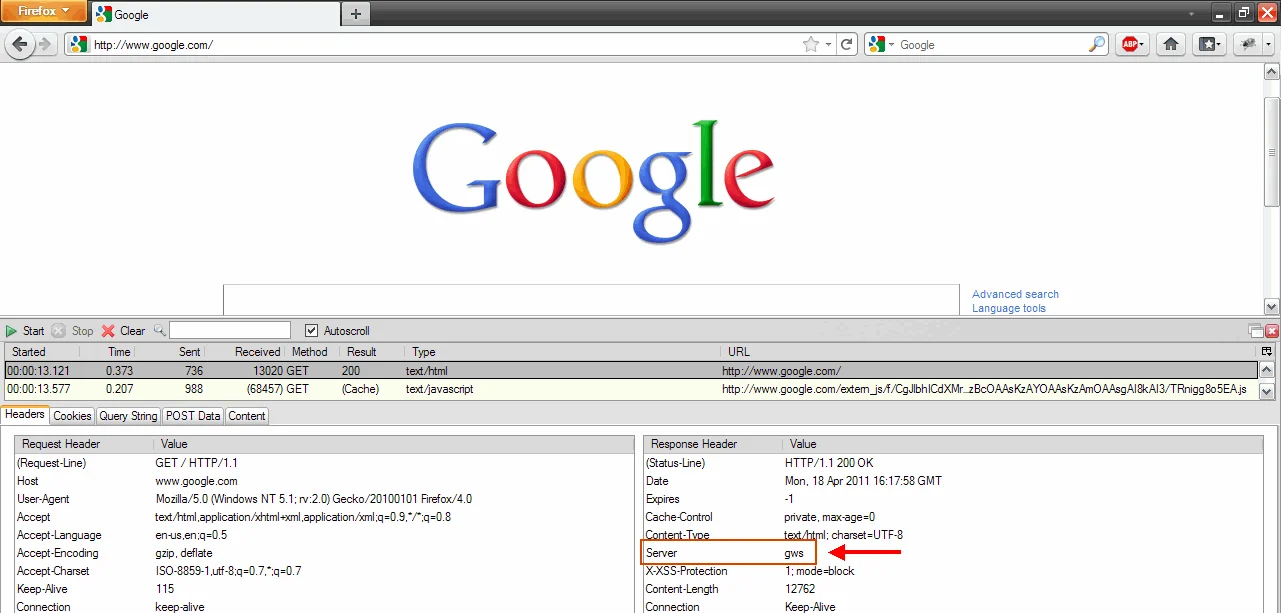
Google.com uses "gws":
This can be done very easily using rewrite policies on the Netscaler. Catherine Hampton wrote a great article over at the Citrix Developer Network on how to do this:
http://community.citrix.com/display/ns/Using+Rewrite+to+Improve+Web+Server+Security
And if you want to read more about web server fingerprinting, check Net-square's website and their httprint tool:
http://www.net-square.com/httprint.html
Saumil Shah at Net-square wrote an excellent and very thorough article on HTTP fingerprinting here:

Jason Samuel
Product leader, advisor, and international speaker with 27 years in enterprise end-user computing, security, and cloud. Has deployed infrastructure at Fortune 500 scale across 38 countries. 1 of 3 people globally to hold Citrix CTP + VMware vExpert + VMware EUC Champion concurrently. 220 articles, 1,000+ reader discussions.
How to properly use SSL redirects without getting certificate error messages
Your SSL redirect is throwing a cert error because the cert doesn't cover the origin domain. SAN certs fix this. Here's when wildcards fall short and how to configure clean 301 redirects.
apacheHow to automatically put up a maintenance page on a NetScaler when all your websites are down
If all your backend web servers go down, you can have the NetScaler serve a maintenance page directly. Beats browser timeouts and keeps users informed.
apacheChange all HTTP requests to SSL/HTTPS on a NetScaler
Here's the exact Responder Policy expression and 301 redirect action to force all HTTP traffic to HTTPS on a NetScaler, sitewide, without touching individual vservers.