
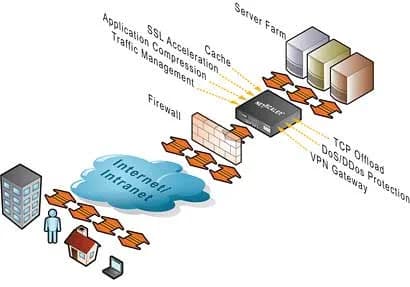
If you work with Netscalers, you already know how SNIPs and MIPs work. They are the IPs that communicate with your servers. Every packet from the outside world that passes through the Netscaler will hit your server as though it was coming from this IP. This is the default behavior on a Netscaler.
Unfortunately if your servers require the client's true IP address, all you will see for every client will be the SNIP or MIP address you are using. Here are a few examples I have personally had to deal with:
- IIS requires client IP for IIS logs
- IIS requires client IP for ACL filtering
- Web application requires client IP for it's own logging purposes
- Web application requires cilent IP for authentication Now to get around this for IIS, you can install ISAPI filters and set your Netscaler to use a custom header to store the true client IP address and pass that along with every packet. The ISAPI filter in IIS would look for this particular header and log that instead of the SNIP/MIP. There's a very nice Client IP extraction ISAPI filter with some great instructions located on this page from Citrix or you can even write your own:
http://support.citrix.com/article/CTX119347
This is great for logging but sometimes your web application may grab the IP address from web server variables. To return the IP address of the host making the request, the server variable that your ASP, ASP.NET, and PHP code will call is "REMOTE_ADDR". Unfortunately REMOTE_ADR is going to have your SNIP IP and not the client IP when passing through the Netscaler. The good news is that if you have control of your code, you can make it call from a different location that includes the client IP your ISAPI filter is passing. So if your code currently uses:
Request.ServerVariables("REMOTE_ADDR")
then switch it to:
Request.ServerVariables("http_client_ip")
where "http_client_ip" is the real client IP address and not the SNIP. Everything will work fine after that.
Here's a nice snippet of code you can run on your web server and hit from your client browser to see what all the Netscaler is passing to the server:
<html/>
<body/>
<p/>
NS SNIP or MIP IP address:
<%Response.Write(Request.ServerVariables("remote_addr"))%>


<b/>The NS Inserted Client IP:</b/>
<%Response.Write(Request.ServerVariables("http_Client_ip"))%>


Accept Encoding:
<%Response.Write(Request.ServerVariables("HTTP_ACCEPT_ENCODING"))%>


Cookies:
<%Response.Write(Request.ServerVariables("HTTP_COOKIE"))%>


</body/>
</html/>
(***NOTE: I apologize in advance if my website messes up the code block above. If you have issues with it, I will host a .txt file here with the code. Just post a comment below if you need it.)
This is all well and good when you have access to the code and can make this change but what about web apps that are 3rd party and you cannot modify the code? Well then you have no choice but to use the USIP (Use Source IP) feature on the Netscaler. What this does is pass the client IP straight through the Netscaler to your backend server so that the SNIP or MIP you are using on your Netscaler is never seen by the server (except for monitor probes from the Netscaler itself of course). This option is disabled by default. It can be applied to the entire Netscaler or turned on and off per service.
Best practice is not to use it and avoid it as much as possible. The reason is that using the USIP feature means you are going to lose very important features on the Netscaler such as connection multiplexing and surge protection. It's always better to use the Client IP header insertion instead. In fact to date I have personally never enabled USIP in any environment I have built so far.
Here's a very excellent and recent article from Citrix on the pros and cons of using USIP mode:
http://support.citrix.com/article/CTX121974
I hope this helps anyone trying to get around Client IP address related issues. Please feel free to post a comment on your own experiences or suggestions.

Jason Samuel
Product leader, advisor, and international speaker with 27+ years in enterprise end-user computing, security, and cloud. Has deployed infrastructure at Fortune 500 scale across 34 countries. 1 of 3 people globally to hold Citrix CTP + VMware vExpert + VMware EUC Champion concurrently. 200+ articles, 1,000+ reader discussions.
Previous Comments (9)


