
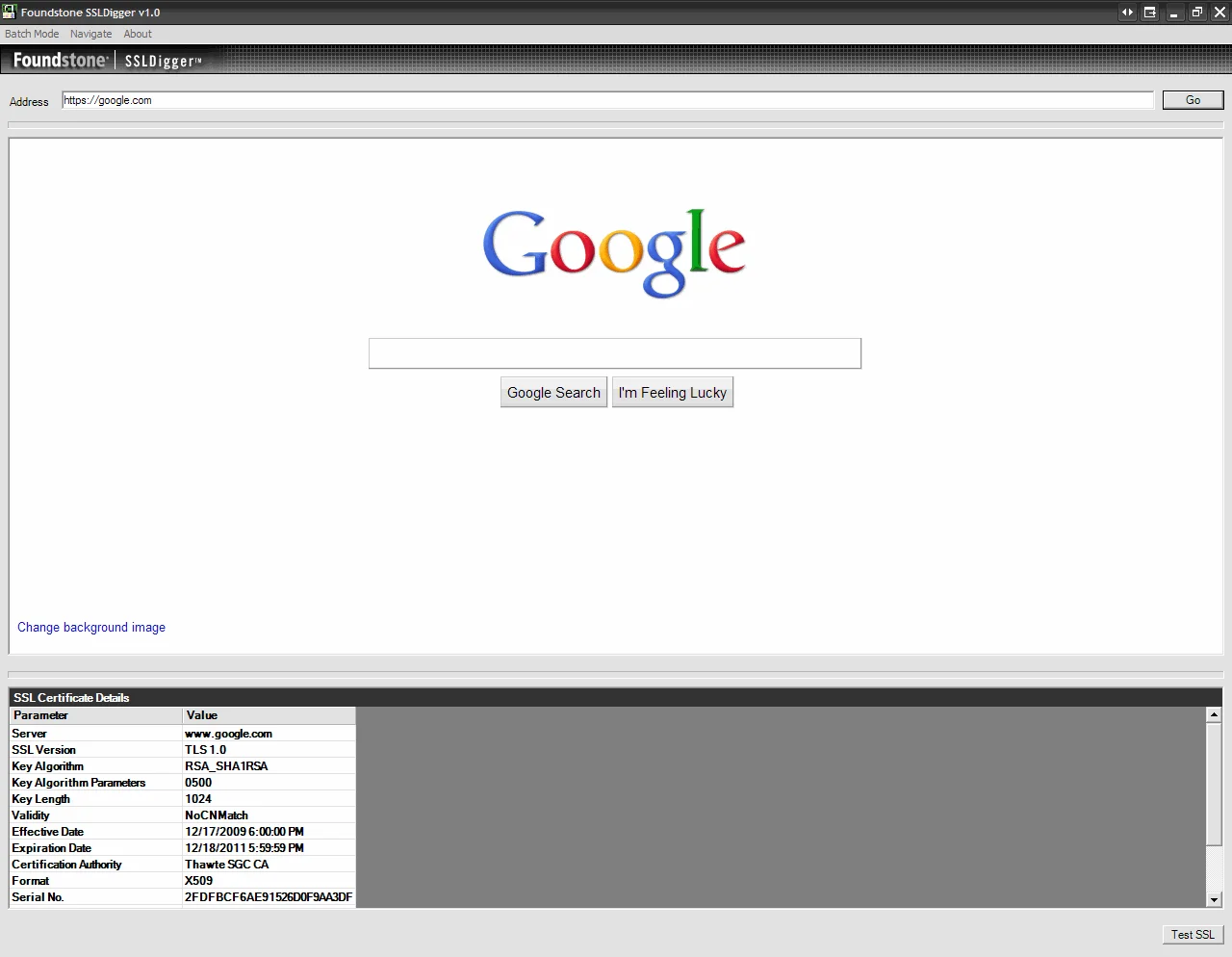
There are 4 easy ways to check that SSLv2 and weak ciphers are disabled on your web servers and appliances. SSLv2 is deprecated and should never be used. You will definitely need to verify these are disabled for PCI compliance and SOX compliance. The instructions below apply to check SSLv2 on any web server (IIS, Apache, iPlanet, etc.) or any traffic or load balancing appliance (Citrix Netscaler, F5 BigIP, etc.). 1. SSLDigger - Download it here http://www.foundstone.com/us/resources/proddesc/ssldigger.htm. It's a great little tool that first tests for SSLv2, then gives you the option to test for weak ciphers one by one, then spits our a nice little HTML report of the findings. You can even create a .txt file with all your URLs to test and perform testing in bulk. This is wonderful when you have many domains to test and need to give a report to management quickly. Checking the Google.com SSL cert (click to enlarge):
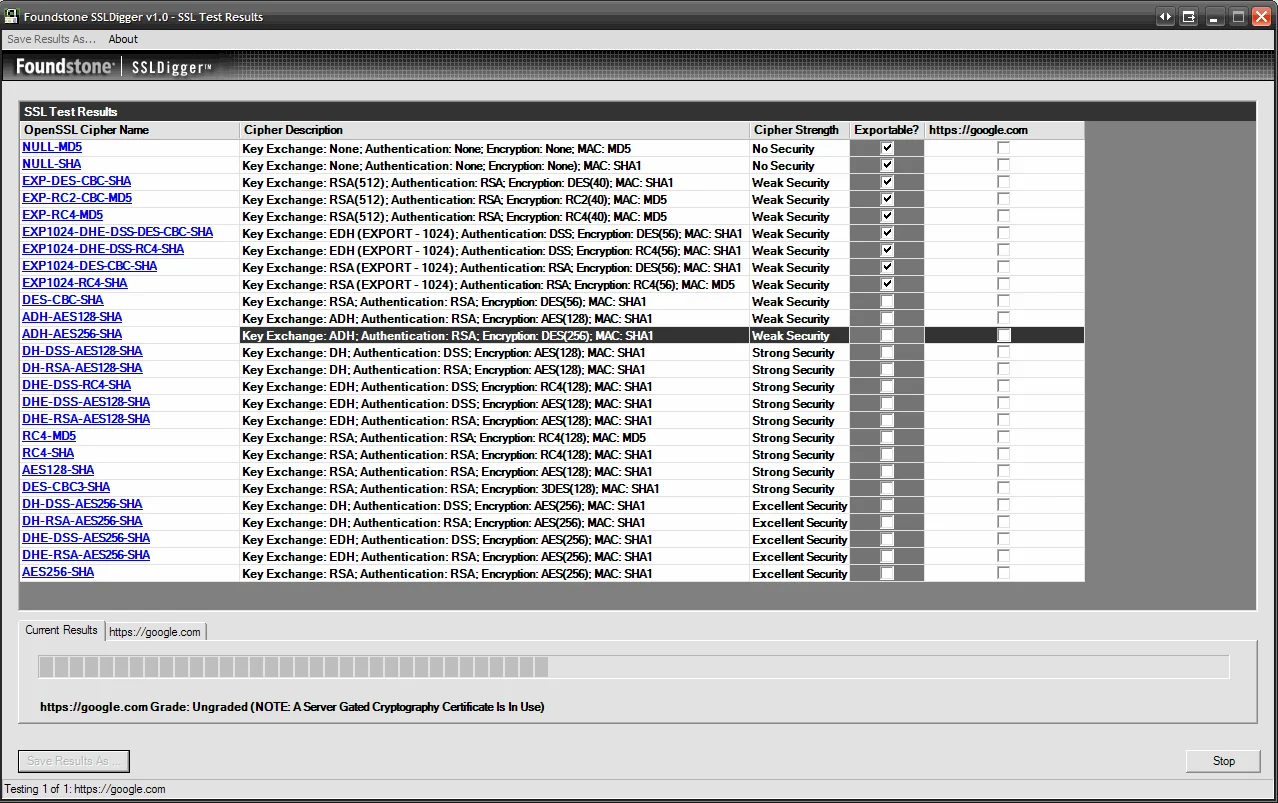
Checking for weak ciphers systematically (click to enlarge):
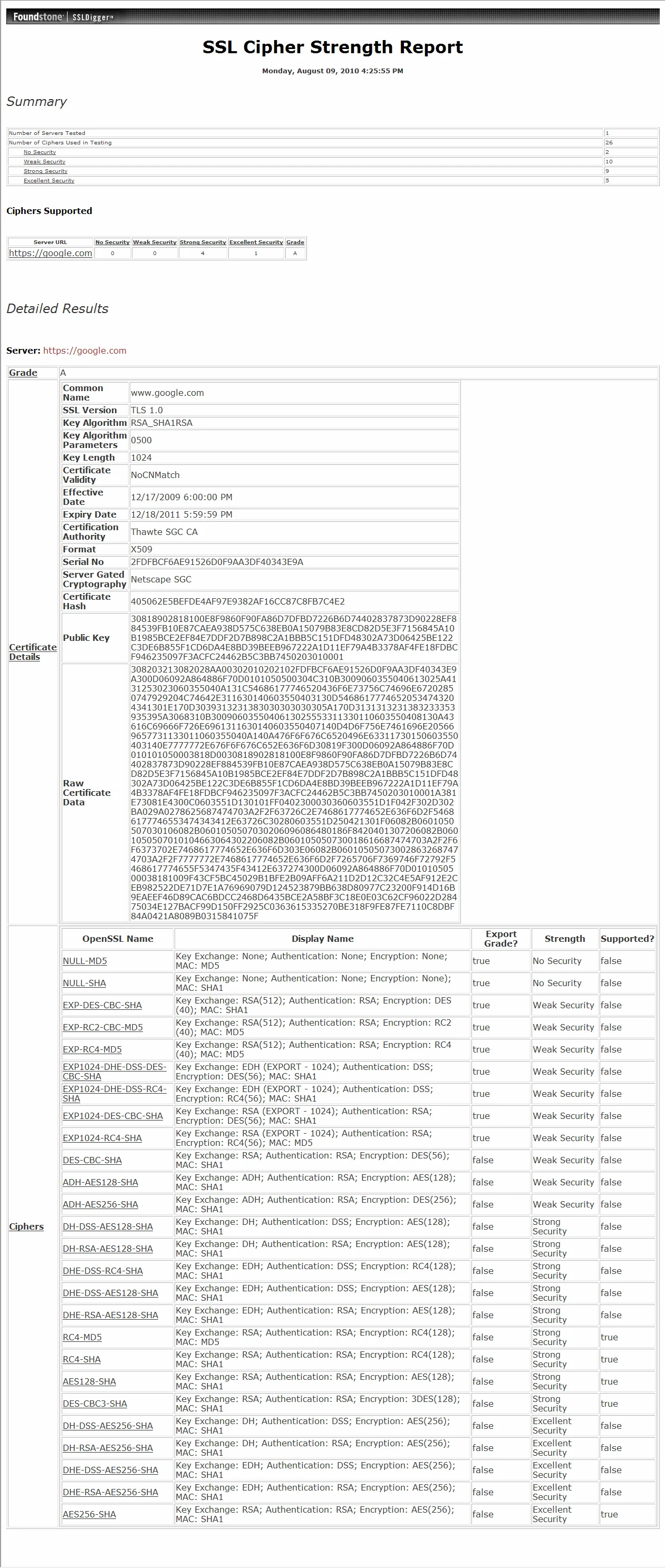
HTML report (click to enlarge):
2. OpenSSL - The old favorite. Type the following to connect to your web server or appliance over SSLv2:
openssl s_client -connect www.yourdomain.com:443 -ssl2
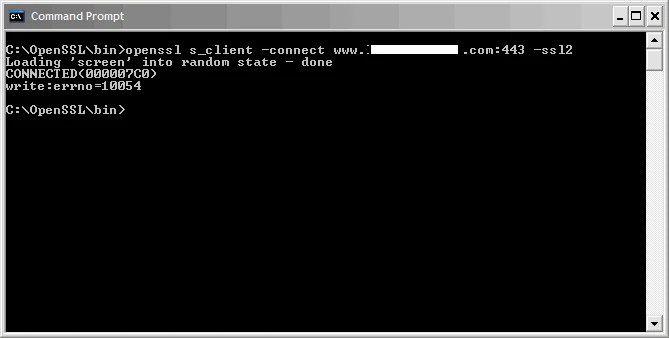
It should connect giving you a CONNECTED(000007C0) message but then immediately fail and display an error message like one of the following:
`419:error:1407F0E5:SSL routines:SSL2_WRITE:ssl handshake failure:s2_pkt.c:428:
420:error:1406D0B8:SSL routines:GET_SERVER_HELLO:no cipher list:s2_clnt.c:450:
10076:error:1407F0E5:SSL routines:SSL2_WRITE:ssl handshake failure:. \ssl\s2_pkt.c:428:
write:errno=548965:error:1407F0E5:SSL routines:SSL2_WRITE:ssl handshake failure:s2_pkt.c:428: write:errno=10054` SSL handshake failures and connection resets (errno=10054) are completely normal if SSLv2 is disabled. The specific error message you get will depend on exactly what behavior your web server or appliance is configured to do when a client connects using it.
Example of SSLv2 disabled:
Example of SSLv2 enabled (VERY VERY BAD!):
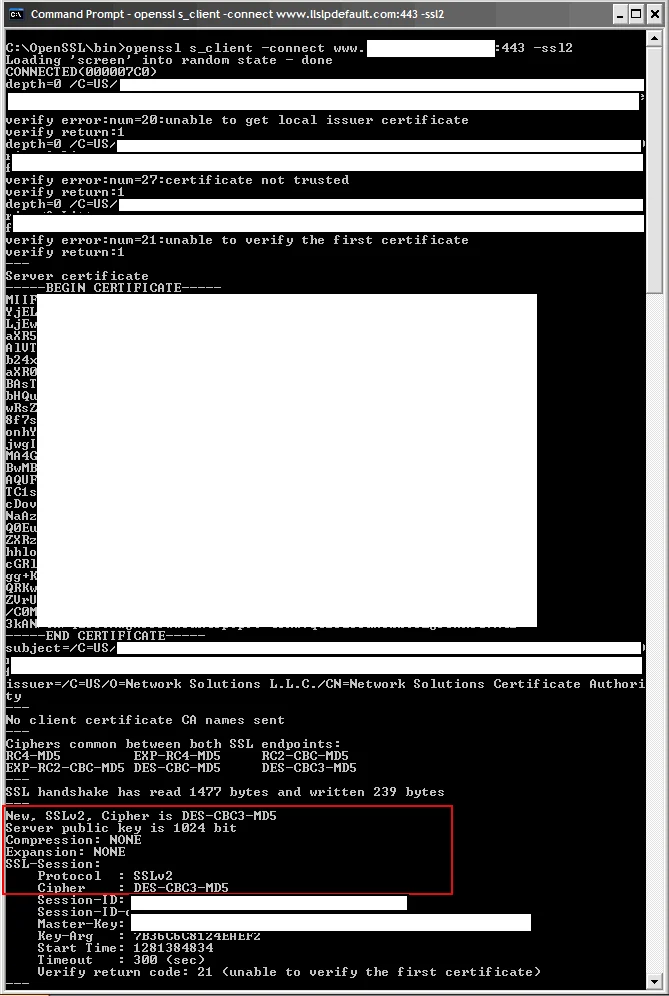
3. Nessus - Download it here http://www.nessus.org and use the Home Feed and setup a new scan using the SSL Anonymous Cipher Suites Supported and SSL Version 2 (v2) Protocol Detection plugins. Please make sure to disable all the other plugins, you don't want all that hitting your server. Just these 2 are sufficient. Then check the Reports and see if it is reporting SSLv2 as a vulnerability. 4. External SSL checkers - Running nice little tools like the above three is nice to check your servers when you are internal but if you want to see what 3rd parties are seeing externally, use one of these online SSL checkers to test:

Jason Samuel
Product leader, advisor, and international speaker with 27+ years in enterprise end-user computing, security, and cloud. Has deployed infrastructure at Fortune 500 scale across 34 countries. 1 of 3 people globally to hold Citrix CTP + VMware vExpert + VMware EUC Champion concurrently. 200+ articles, 1,000+ reader discussions.
Previous Comments (2)

