
VMkernel ports change automatically when applying a Host Profile
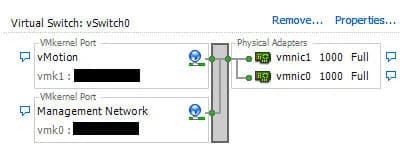
Wonderful little vSphere bug we came across today. Let's say you have a host with the following VMKernel ports configured on the vSwitch:
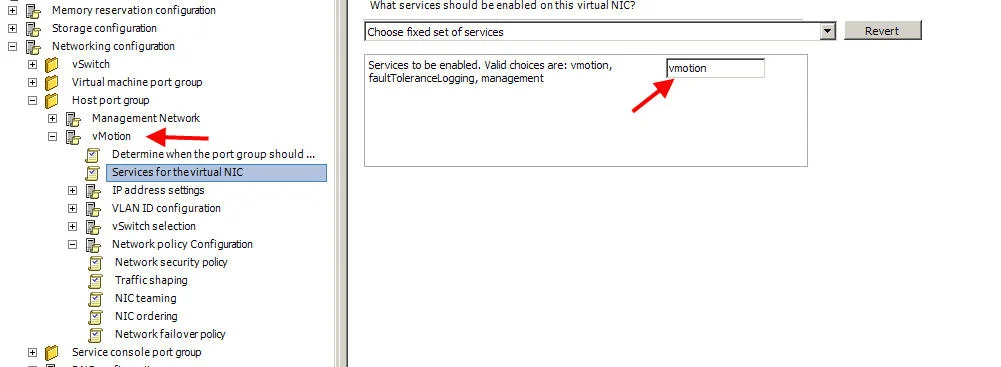
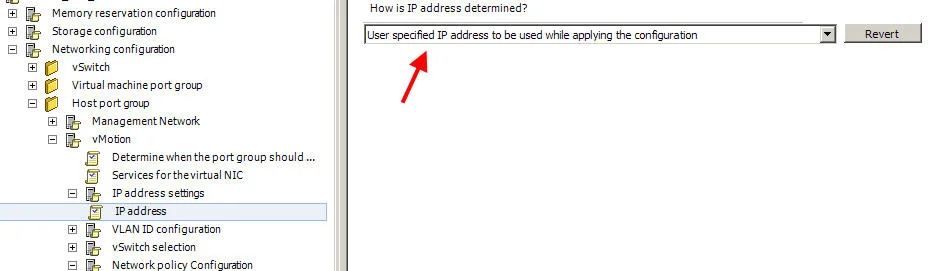
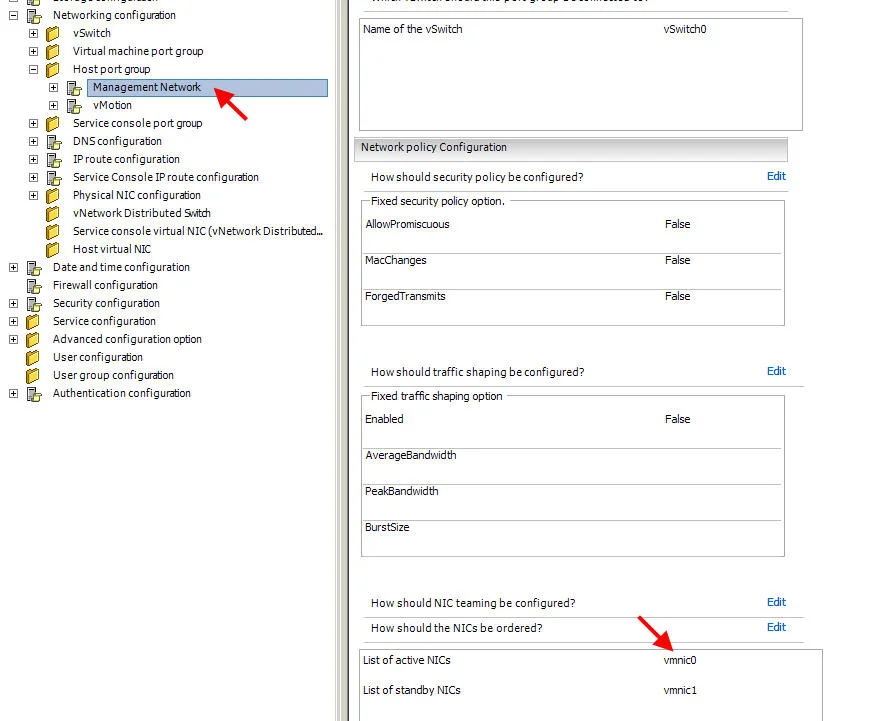
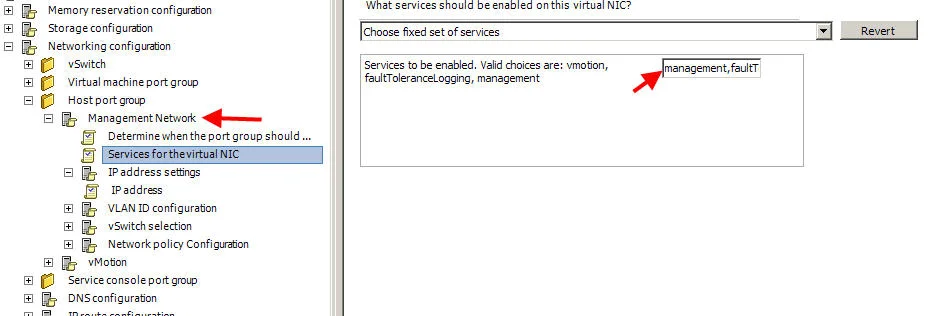
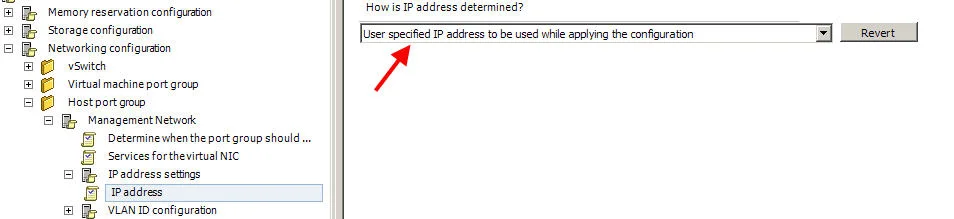
-vmk1 = vMotion -vmk0 = Management Network When you create a host profile from the host, then apply that profile to a new host you are adding, the VMKernel ports get swapped! They will be: -vmk1 = Management Network -vmk0 = vMotion My co-worker came up with a good workaround. Put your affected host into maintenance mode, then go edit the Host Profile you had applied. It appears the kernel ports are created in the order in the Host Profile. So you just change the order from: -vMotion -Management Network to: -Management Network -vMotion You do this by renaming "vMotion" to something like "vMotion2MN". Then change the name of "Management Network" to "vMotion" and change "vMotion2MN" to "Management Network". From here you need to make changes to each port group which are: -make sure the NICs are ordered correctly -specifying the correct service for the port group -making sure the IP is set to explicit So for the vMotion port group, order the NIC:
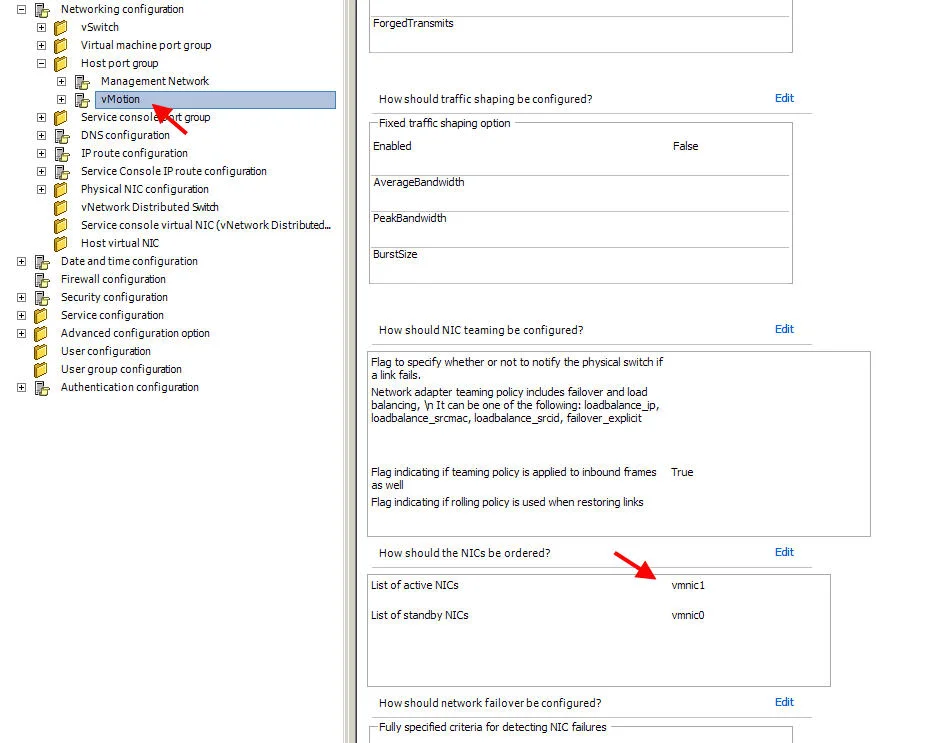
Choose vmotion for the service:
Set the explicit IP option:
And for the Management Group, order the NIC:
Choose management for the service:
And set the IP to be explicit:
Make sure to press the OK button in the lower right button after every page or when you navigate to another page, it will lose whatever changes you made. Save the profile and re-apply it to your new host. Now it will recreated the VMKernel ports in the correct order.

Jason Samuel
Product leader, advisor, and international speaker with 27+ years in enterprise end-user computing, security, and cloud. Has deployed infrastructure at Fortune 500 scale across 34 countries. 1 of 3 people globally to hold Citrix CTP + VMware vExpert + VMware EUC Champion concurrently. 200+ articles, 1,000+ reader discussions.
Previous Comments (1)
