
Disabling Microsoft passthrough authentication in ICA files when using Citrix Receiver Enterprise
If ICA passthrough auth is failing when you connect to a different domain with Receiver Enterprise, add UseLocalUserAndPassword=Off and AutoLogonAllowed=Off to the ICA file. That fixes it.
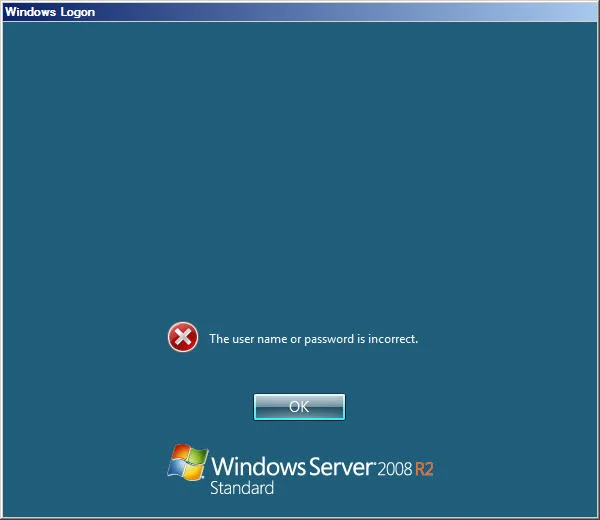
If you are using ICA files to connect to a XenApp farm for whatever reason, and you are running Citrix Receiver Enterprise, it will attempt to passthrough credentials by default if you have setup Receiver to allow passthrough authentication using the ADM template. This is bad when you are trying to connect to a different domain because you will get the "The user name or password is incorrect" logon error message every time you launch the ICA file. It is trying to pass the wrong credentials:
You really don't want to change your ADM file settings because that will break functionality for other things. The best way around this is to add these two lines to your ICA file:
UseLocalUserAndPassword=Off AutoLogonAllowed=Off
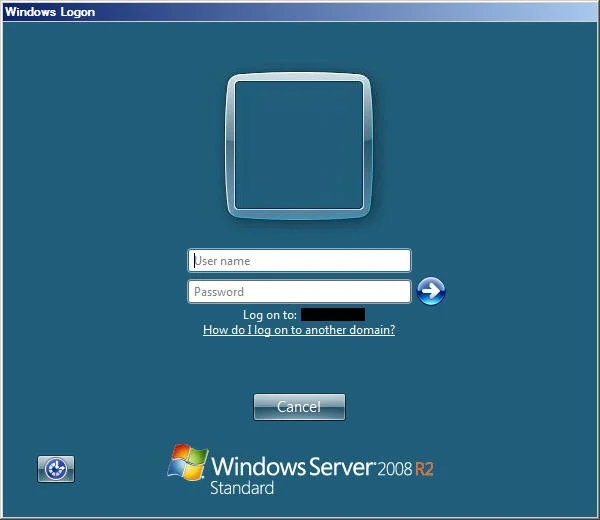
Once you do that, launching the ICA file will work correctly and will show the domain the server is a member of:

Jason Samuel
Product leader, advisor, and international speaker with 27 years in enterprise end-user computing, security, and cloud. Has deployed infrastructure at Fortune 500 scale across 44 countries. 1 of 3 people globally to hold Citrix CTP + VMware vExpert + VMware EUC Champion concurrently. 220 articles, 1,000+ reader discussions.
Previous Comments (1)

How to extend your on premises XenApp XenDesktop environment to Citrix Cloud XA XD Service and Microsoft Azure
There are a lot of misconceptions about what Citrix Cloud actually is. Here's how to extend your on-prem XenApp/XenDesktop to Citrix Cloud and Azure using Cloud Connectors.
citrix-xenappHow to publish content and use custom icons in XenApp XenDesktop 7.11 using PowerShell
XenApp/XenDesktop 7.11 lets you publish content (documents, URLs) with custom icons via PowerShell. Here are the exact cmdlets to deliver content shortcuts to your users.
citrix-xenappHow to setup Citrix Director Shadowing with Microsoft Remote Assistance using Group Policy
If you want help desk to shadow XenDesktop VMs from Director using Remote Assistance, you'll need Group Policy configured and Director 7.6.100. Here's the setup.