
How to tell which w3wp.exe worker process belongs to what Microsoft IIS application pool
If a w3wp.exe process is eating memory and you need to know which app pool it belongs to, run cscript iisapp.vbs. Maps every PID to its application pool.
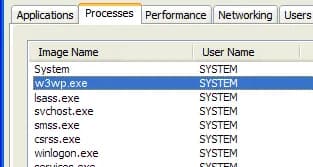
Have you ever had an IIS worker process (w3wp.exe) that was taking up a lot of memory and wanted to know exactly which application pool it was tied to?
Run this script located at C:\WINDOWS\system32 from command prompt:
cscript iisapp.vbs
This will tell you you the process ID of each worker process as well as the application pool ID it is running under. This can help troubleshoot exactly which website or application is causing the memory spike.

Jason Samuel
Product leader, advisor, and international speaker with 27 years in enterprise end-user computing, security, and cloud. Has deployed infrastructure at Fortune 500 scale across 38 countries. 1 of 3 people globally to hold Citrix CTP + VMware vExpert + VMware EUC Champion concurrently. 220 articles, 1,000+ reader discussions.
Using Microsoft LogParser to create a report of who has been hitting a web page or URL
Need to know who's been hitting a specific URL? LogParser queries your IIS W3C logs and gives you every IP in chronological order. Then you can export unique IPs for identification.
iisUsing the DATAGRID output option in Microsoft LogParser to see error 500 IIS issues
LogParser's DATAGRID output gives you IIS error 500 results and page load times in a readable GUI window. No CSV exports needed. Instant visual output.
iisHow to get the IUSR and IWAM user account passwords on a Microsoft IIS server
If you need the IUSR or IWAM password without resetting it, Adsutil.vbs in C:\Inetpub\AdminScripts will retrieve it for you. Quick and non-disruptive.