
Using Microsoft Log Parser to query huge log files and only display the results you need
Don't load massive log files into Excel. Log Parser 2.2 lets you run SQL-style queries against IIS logs and CSVs. Find top pages, error 500s, and custom reports instantly.
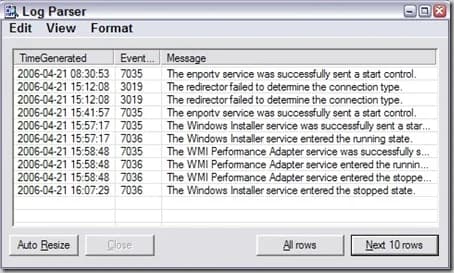
Have you ever had a giant log file or CSV that you needed to go through and pull results from quickly? Sure you can try dumping it into Excel and trying different filters and sort orders but that's a waste of time. It's much faster to pull your data via a query like in a database. Microsoft has a tool called Log Parser that does just that. You can use queries to parse any kind of text based file.
You can download Log Parser 2.2 from Microsoft here: http://www.microsoft.com/downloads/details.aspx?FamilyID=890cd06b-abf8-4c25-91b2-f8d975cf8c07&displaylang=en
Just install it and try it out by opening up a command prompt, navigating to your install path, and running the logparser executable. It will display a list of commands to get you familiar with it. I first started using it to parse huge IIS logs. It's pretty easy to use, here's an example of pulling the top 10 pages hit on your site:
logparser "SELECT TOP 10 cs-uri-stem as Url, COUNT(cs-uri-stem) AS Hits FROM c:\logs\ex*.log GROUP BY cs-uri-stem ORDER BY Hits DESC"
or all the Error 500s for a particular site:
logparser "SELECT [cs-uri-stem], [cs-uri-query], Count(*) AS [Hits] FROM c:\logs\ex*.log WHERE sc-status = 500 GROUP BY [cs-uri-stem], [cs-uri-query] order by [hits], [cs-uri-stem] DESC" -rtp:-1 -i:iisw3c
You can even throw the above in a batch file that schedule to run every hour and do something like:
All5005Errors.bat > All500Errors.txt
to log it all to disk. Or even easier, use INTO in your SQL syntax to dump to a file like a .csv so it reads like:
logparser "SELECT [cs-uri-stem], [cs-uri-query], Count(*) AS [Hits] INTO All500Errors.csv FROM c:\logs\ex*.log WHERE sc-status = 500 GROUP BY [cs-uri-stem], [cs-uri-query] order by [hits], [cs-uri-stem] DESC" -rtp:-1 -i:iisw3c
There's tons and tons of nice little queries people have written, for example I've personally used some from Jeff Atwood's site here: http://www.codinghorror.com/blog/archives/000369.html
Or you can got to the IIS.NET forums where there is an entire forum and many sub-forums dedicated to Log Parser here: http://forums.iis.net/default.aspx?GroupID=51
Another cool tool over at CodePlex...Visual Log Parser: http://www.codeplex.com/visuallogparser
I actually haven't used this yet but it is out there if you get bored of using command line. LMK if you guys decide to try it out.

Jason Samuel
Product leader, advisor, and international speaker with 27 years in enterprise end-user computing, security, and cloud. Has deployed infrastructure at Fortune 500 scale across 38 countries. 1 of 3 people globally to hold Citrix CTP + VMware vExpert + VMware EUC Champion concurrently. 220 articles, 1,000+ reader discussions.
Previous Comments (1)

Using Microsoft LogParser to create a report of who has been hitting a web page or URL
Need to know who's been hitting a specific URL? LogParser queries your IIS W3C logs and gives you every IP in chronological order. Then you can export unique IPs for identification.
iisUsing the DATAGRID output option in Microsoft LogParser to see error 500 IIS issues
LogParser's DATAGRID output gives you IIS error 500 results and page load times in a readable GUI window. No CSV exports needed. Instant visual output.
iisHow to get the IUSR and IWAM user account passwords on a Microsoft IIS server
If you need the IUSR or IWAM password without resetting it, Adsutil.vbs in C:\Inetpub\AdminScripts will retrieve it for you. Quick and non-disruptive.