
Microsoft Windows 7 and Citrix Receiver not launching certain apps from Web Interface
If Windows 7 with Receiver 3.x won't launch apps from legacy XenApp or Presentation Server farms (generic network error), the fix is in the ICA file transport protocol settings.
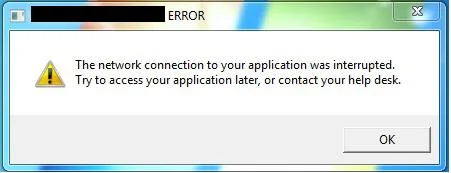
Windows 7, Citrix Receiver 3.0, 3.1, 3.2 etc., and Web Interface 5.4 all work hand in hand with newer XenApp farms. But you might notice if you have older farms in your Web Interface, apps from those farms will not launch when using Windows 7 and Citrix Receiver. You'll get a message like this when you click on an app icon:
The network connection to your application was interrupted. Try to access your application later, or contact your help desk.
Really helpful right? Well if you look at your event log on your Windows 7 box, you get something even more cryptic:
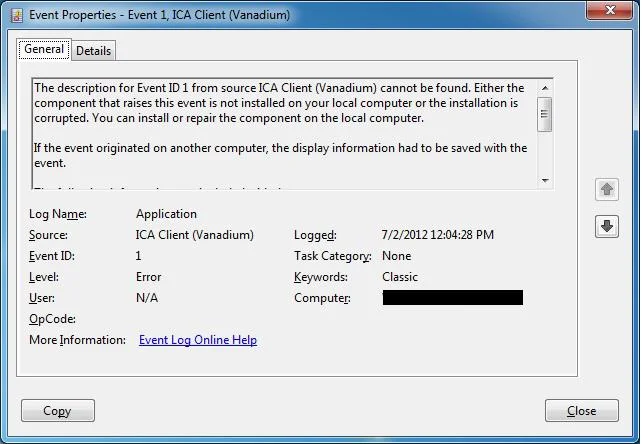
`The description for Event ID 1 from source ICA Client (Vanadium)
cannot be found. Either the component that raises this event is not
installed on your local computer or the installation is corrupted.
You can install or repair the component on the local computer.
If the event originated on another computer, the display
information had to be saved with the event.
The following information was included with the event:
Vanadium: TW Protocol error: Data rejected Cmd = CMD_TW2_TEXTOUT The data containing the error is below (1953 bytes)`
I get this error with apps hosted on legacy MetaFrame XP and Presentation Server 4.0 farms. The work around is to go to your farm's console, right click on your farm name, Properties > ICA Settings and uncheck the "Discard redundant graphics operations" setting.
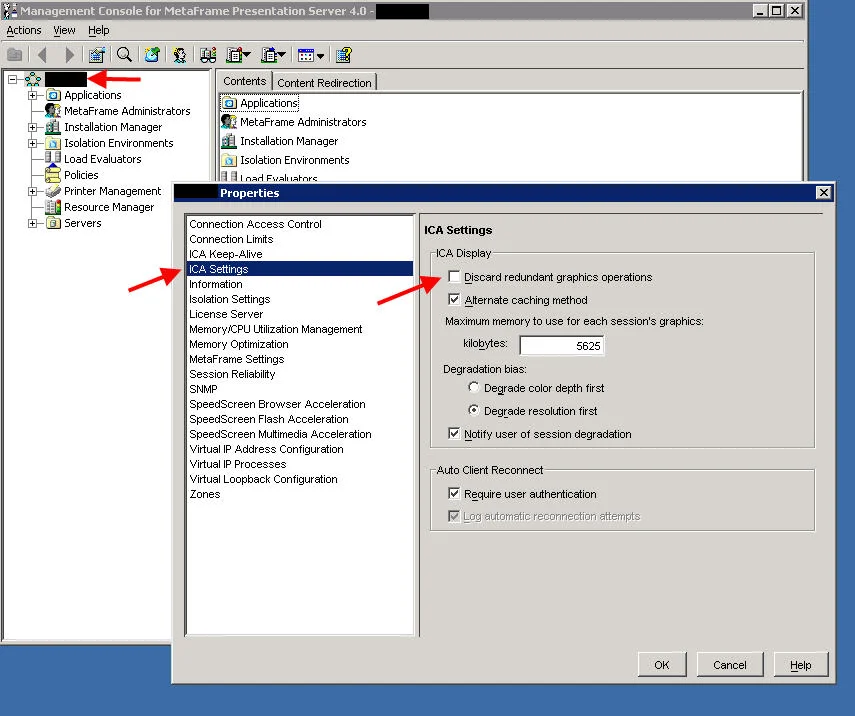
After making this change, the apps will launch just fine. Additionally on some MetaFrame XP apps, I've had to go under the actual published application properties and lower the resolution of the app. I doubt Citrix will ever release a fix for this since legacy farms are not supported and reached End of Life years ago. You should get your apps moved over to newer XenApp farms as soon as possible.

Jason Samuel
Product leader, advisor, and international speaker with 27 years in enterprise end-user computing, security, and cloud. Has deployed infrastructure at Fortune 500 scale across 38 countries. 1 of 3 people globally to hold Citrix CTP + VMware vExpert + VMware EUC Champion concurrently. 220 articles, 1,000+ reader discussions.
Previous Comments (4)


How to extend your on premises XenApp XenDesktop environment to Citrix Cloud XA XD Service and Microsoft Azure
There are a lot of misconceptions about what Citrix Cloud actually is. Here's how to extend your on-prem XenApp/XenDesktop to Citrix Cloud and Azure using Cloud Connectors.
citrix-xenappHow to publish content and use custom icons in XenApp XenDesktop 7.11 using PowerShell
XenApp/XenDesktop 7.11 lets you publish content (documents, URLs) with custom icons via PowerShell. Here are the exact cmdlets to deliver content shortcuts to your users.
citrix-xenappHow to setup Citrix Director Shadowing with Microsoft Remote Assistance using Group Policy
If you want help desk to shadow XenDesktop VMs from Director using Remote Assistance, you'll need Group Policy configured and Director 7.6.100. Here's the setup.