
How to solve the VMware "PCI to PCI bridge detected" install loop
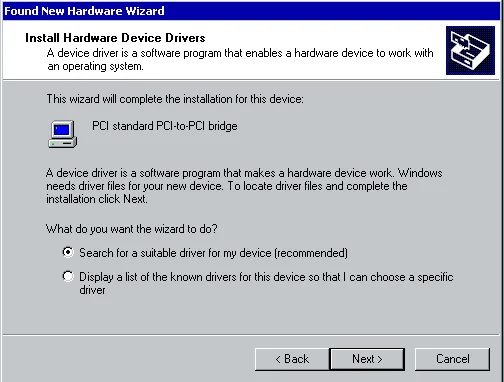
Have you ever P2Ved a server to an ESX cluster or converted a VMware Workstation VM into a VMware ESX 3.5 or vSphere 4.0 VM and come across this horrible Found New Hardware message that won't go away. Here's a screenshot of a Windows 2000 Advanced Server that I had to fix and P2V after a catastrophic disaster (RAID failure) displaying this message:
Yes, it's annoying and it seems like it will never go away. You keep click on install and it keeps detecting after sucessfully installing as if it's in a loop. But the reality of it is that it's not in a loop. As silly as it sounds, you have to install it 32 times and it will finally go away! :)
The reason for this is because when you update the VM's virtual hardware (specifically version 7 VMs from my experience), it comes with 32 separate PCI-to-PCI bridge devices that Windows detects and wants to install. The only workaround I have found so far is to just sit there and install all 32 manually. Or you can try editing your VMX and set:
pciBridge.present = False
which should work though I've never tried it personally. Don't want to potentially break something when it takes all of 2 minutes to install all 32 bridges. Give it a shot and let me know if that fixes it for you guys. :)

Jason Samuel
Product leader, advisor, and international speaker with 27+ years in enterprise end-user computing, security, and cloud. Has deployed infrastructure at Fortune 500 scale across 34 countries. 1 of 3 people globally to hold Citrix CTP + VMware vExpert + VMware EUC Champion concurrently. 200+ articles, 1,000+ reader discussions.
Previous Comments (18)


